Squelch app icon

Squelch

Instant microphone mute for macOS. Hotkey, menu-bar click, or AirPods stem-press — works in Google Meet, any video call, anywhere.

Download on the Mac App Store

Three ways to mute

All global. All instant. None of them open a microphone capture session.

Global hotkey

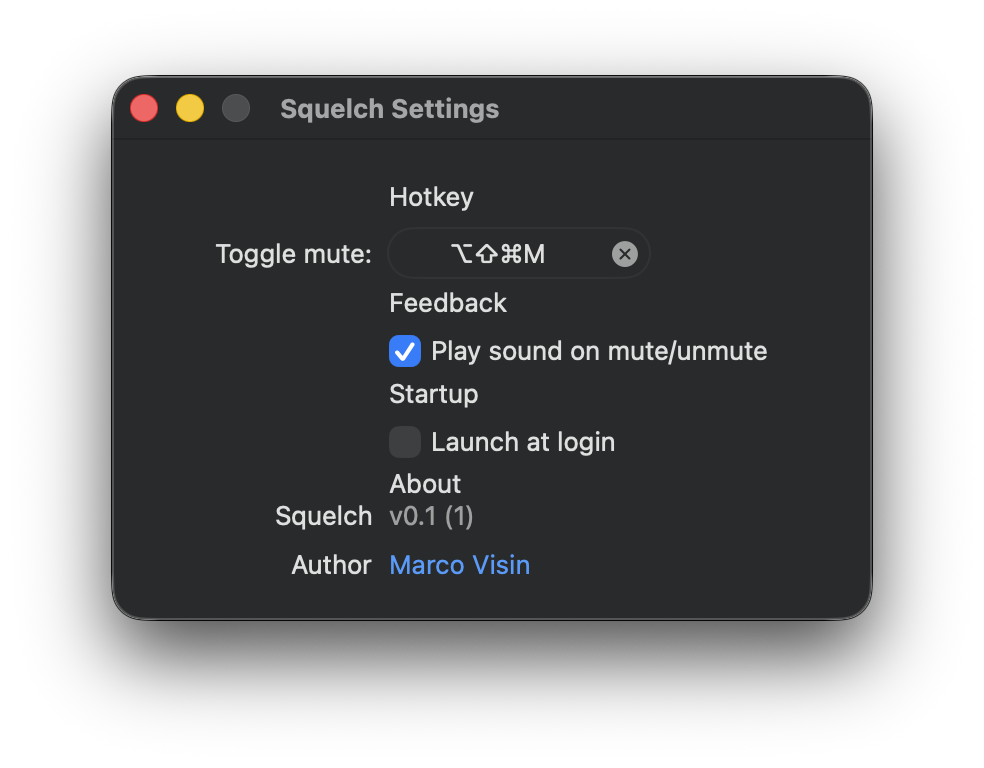
Configurable from anywhere. Mute mid-sentence without leaving the keyboard.

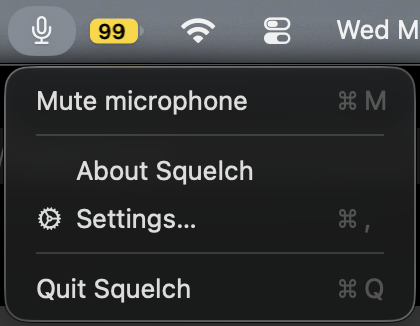
Menu bar click

The icon shows mute state at a glance. One click toggles it.

AirPods stem-press

Works in any app — including ones that ignore the system mute gesture, like Google Meet in Chrome.

Built into the system, not on top of it

Squelch mutes at the macOS audio-system level, the same way the volume keys work — so the mute gesture works in every call app, in every browser tab.

Squelch settings window showing a configurable hotkey, sound cue toggle, and launch-at-login option

Settings: configurable hotkey, sound cues, launch at login.

Squelch menu-bar dropdown showing Mute microphone, About, Settings, Quit

The menu bar at a glance.

Why this exists

Google Meet doesn't mute when you tap your AirPods. Every other call app does. After two years of fumbling for the trackpad mid-sentence while someone politely waited, I lost patience and built my own fix.

When the AirPods stem-press happens, the mute should just happen — regardless of which app is in the foreground, which browser tab is active, or whether the call app has decided to support it.

So Squelch does the mute one layer below the call software. Tap your AirPods, and your microphone goes quiet — in Meet, in Slack huddles, in any browser tab, in anything.

And because Squelch never opens a microphone capture session, it doesn't force your AirPods into call-quality audio while it's running. (Most mute utilities do, which is why your music sounds worse the moment they're installed.) With Squelch, your music stays in full music quality until a real call actually starts.

Privacy by design

No analytics. No accounts. No network requests. Squelch doesn't even open a microphone capture session — it only writes the system mute flag. Fully sandboxed.

Read the privacy policy →